
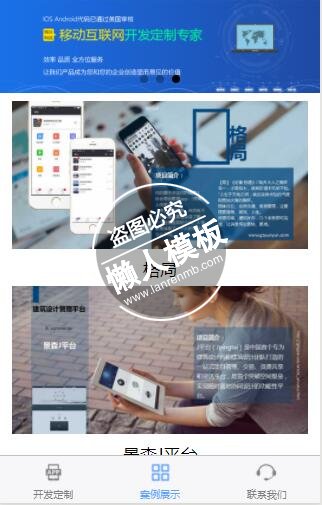
<import src="../../common/tpl/banner-swiper.wxml"/>
<view>
    <template is="bannerSwiper" data="{{...bannerSwiperConfig}}"/>
    <view class="case-list">
        <view class="case-item" wx:for="{{caseList}}">
            <image src="{{item.img}}" mode="widthFix"></image>
            <view class="case-title"><text>{{item.title}}</text></view>
        </view>
    </view>
    <view class="tips"><text>查看更多案例详情,请浏览我们的官网(<text selectable="{{true}}">www.gzyueyun.com</text>)</text></view>
    <view class="footer">
        <navigator class="dz-btn" url="../dingzhi/dingzhi">立即定制</navigator>
    </view>
</view>
|
.case-list {
    padding: 20rpx 30rpx;
}

.case-item image {
    width: 100%;
}

.case-item .case-title {
    text-align: center;
    line-height: 80rpx;
    font-size: 42rpx;
}

.tips {
    font-size: 32rpx;
    color: #909090;
    text-align: center;
}

.footer {
    margin: 30rpx 0;
    padding: 0 84rpx;
}
|
var api = require('../../assets/js/api.js');
Page({
    data: {
        bannerSwiperConfig: getApp().globalData.bannerSwiperConfig,
        caseList: [
            // {
            //     img: "http://www.gzyueyun.com/m/yueyun-mini-app/assets/img/case_cover_01.png",
            //     title: "格局"
            // },
            // {
            //     img: "http://www.gzyueyun.com/m/yueyun-mini-app/assets/img/case_cover_02.png",
            //     title: "3M空气检测"
            // }
        ]
    },
    onLoad: function () {
        getApp().getBannerList(this);
        this.getCaseList();
    },
    getCaseList: function () {
        var $this = this;
        wx.showLoading({
            title: "加载中",
            mask: true,
            success: function () {
                wx.request({
                    url: api.apiPath.getCaseList,
                    data: {
                        page: 1,
                        size: 5
                    },
                    method: 'GET',
                    success: function (res) {
                        var success = res.data.success,
                            list = res.data.root;
                        if (success) {
                            var arr = [];
                            for (var i = 0, len = list.length; i < len; i++) {
                                var item = list[i];
                                arr.push({
                                    img: api.getImgFullPath(item['image']),
                                    title: item['innerTitle']
                                });
                            }
                            $this.setData({
                                "caseList": arr
                            });
                        }
                    },
                    fail: function (res) {
                        console.error("get case list error!");
                    },
                    complete: function() {
                        wx.hideLoading();
                    }
                });
            }
        });
    }
});
|
模板简介:该模板名称为【微信小程序移动互联网开发案例列表展示页面制作设计教程下载】,大小是,文档格式为.,推荐使用打开,作品中的图片,文字等数据均可修改,图片请在作品中选中图片替换即可,文字修改直接点击文字修改即可,您也可以新增或修改作品中的内容,该模板来自用户分享,如有侵权行为请联系网站客服处理。欢迎来懒人模板【小程序教程】栏目查找您需要的精美模板。
.jpg)
.jpg)




