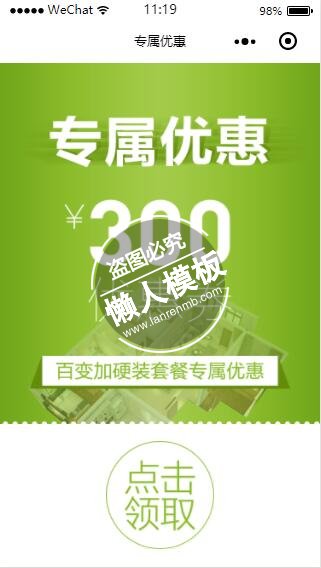
本文给大家带来的是微信小程序专属优惠券点击领取页设计制作开发教程,制作好以后效果图如下:
一、wxml页面代码如下:
<view class="ws_coupon">
    <image src="https://m.youzhu.com/images/weChatAppImages/yhq.png" />
    <view class="button">
        <navigator hover-class="none" url="/pages/signup/signup?title=领取专属优惠">
			<image src="https://m.youzhu.com/images/weChatAppImages/yhq_btn.png" />
		</navigator>
    </view>
</view>
|
二、wxss样式文件代码如下:
page{background: #fff;}
.ws_coupon image{width: 100%;display: block;height: 848rpx;}
.ws_coupon .button image{width: 254rpx;height: 254rpx;margin:40rpx auto;}
|
三、js页面代码如下:
var app = getApp()
Page({
	data: {
		shopList: {},
		locationCity: ''
	},
	loadBanner: function () {
		var _this = this;
		wx.request({
			url: 'https://m.youzhu.com/centershop/CenterShopList',
			header: { 'content-type': 'application/x-www-form-urlencoded' },
			method: 'post',
            data: { city: _this.data.locationCity ? _this.data.locationCity : '全国' },
			success: function (res) {
				wx.hideLoading()
				wx.stopPullDownRefresh()
				if (res.data.errorNo >= 0) {
					_this.setData({
						shopList: res.data.data
					})
				}
			}
		})
	},
    getAll:function(){
        this.setData({
            locationCity: '全国'
        })
        wx.showLoading({ title: '加载中', mask: true })
        this.loadBanner()
    },
	onPullDownRefresh: function () {
		this.loadBanner();
	},
	onLoad: function () {
		this.setData({
			locationCity: wx.getStorageSync('locationCity')
		})
		wx.showLoading({ title: '加载中', mask: true })
		this.loadBanner()
	}
})
|

.jpg)
.jpg)




