
/**app.wxss**/
.container {
  height: 100%;
  display: flex;
  flex-direction: column;
  align-items: center;
  justify-content: space-between;
  padding: 200rpx 0;
  box-sizing: border-box;
}


#d1{ color:blueviolet;}


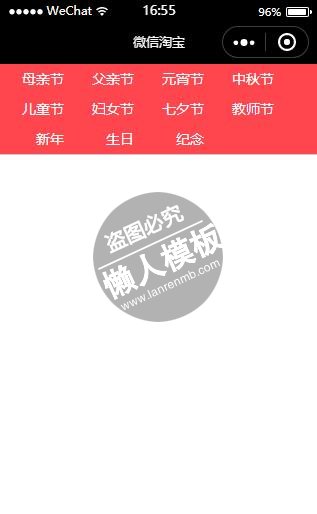
.h_title{text-align: center;  border-bottom: 1px #ccc solid; display: flex; flex-flow: wrap;justify-content:flex-start; background:#ff464e; color: #fff; position: fixed; top: 0; left: 0; height: 90px;}
.h_nav{ font-size: 14px; padding: 5px; width: 60px; text-align:right}

.foot{ display: none; position:fixed; bottom: 0; left:0; width:100%; height: 30px; line-height: 30px; text-align: center; color: blue; border-top: 1px #000 solid; background: #ccc;}
.t_img{ width:160px; height:160px}
.body{ margin:100px 10px 10px; display: flex; flex-flow: wrap;justify-content:space-around;}
.litem{ display:flex}
.linfo{flex:1; width:160px; margin:5px 0; font-size:12px; line-height: 24px}

.slide-image{ height: 300px; width: 100%; display: block}
.swiper{ height: 300px; margin:0 auto}
.x_title, .x_price, .x_xl, .x_gtype, .x_place, .x_nick, .x_url, .x_num, .x_invoice, .x_stype{

    display: block;
    line-height: 30px;
    border-bottom: 1px #ccc solid;
    padding:0 20px;
    color:#444;
    font-family:"微软雅黑";
    font-size:16px;


}
.x_bprice{ color:red; font-size:20px; font-weight: bold; font-family: "impact","arial"}

.x_title{ background: #444; color: #fff;}

.x_btn{ display: flex; line-height: 30px; flex: row; text-align: center}

.x_sc1, .x_share, .x_sc2{ flex: 1}

.tip5name{ font-size: 14px;}


.s_input{ border:1px #ccc solid; margin:20px; padding: 5px}
.s_btn{ margin:0 20px; }
.s_btn_hover{ background: red}

.m_body{ margin:20px;}
.m_item{ line-height: 30px; border-left: 3px #ccc solid; margin-bottom: 10px; padding: 0 0 0 10px}
|
//app.js
App({
  onLaunch: function () {
    //调用API从本地缓存中获取数据
    var logs = wx.getStorageSync('logs') || []
    logs.unshift(Date.now())
    wx.setStorageSync('logs', logs)
  },
  getUserInfo:function(cb){
    var that = this
    if(this.globalData.userInfo){
      typeof cb == "function" && cb(this.globalData.userInfo)
    }else{
      //调用登录接口
      wx.login({
        success: function () {
          wx.getUserInfo({
            success: function (res) {
              that.globalData.userInfo = res.userInfo
              typeof cb == "function" && cb(that.globalData.userInfo)
            }
          })
        }
      })
    }
  },
  globalData:{
    userInfo:null,

    navList : [
                {key:"母亲节",value:0},
                {key:"父亲节",value:1},
                {key:"元宵节",value:2},
                {key:"中秋节",value:3},
                {key:"儿童节",value:4},
                {key:"妇女节",value:5},
                {key:"七夕节",value:6},
                {key:"教师节",value:7},
                {key:"新年",value:8},
                {key:"生日",value:9},
                {key:"纪念",value:10},

              ]
  },

})
|
模板简介:该模板名称为【微信小程序微信淘宝顶部节日列表样式模板制作设计下载】,大小是,文档格式为.,推荐使用打开,作品中的图片,文字等数据均可修改,图片请在作品中选中图片替换即可,文字修改直接点击文字修改即可,您也可以新增或修改作品中的内容,该模板来自用户分享,如有侵权行为请联系网站客服处理。欢迎来懒人模板【小程序教程】栏目查找您需要的精美模板。
.jpg)
.jpg)




