
<scroll-view class="page" scroll-y="true">
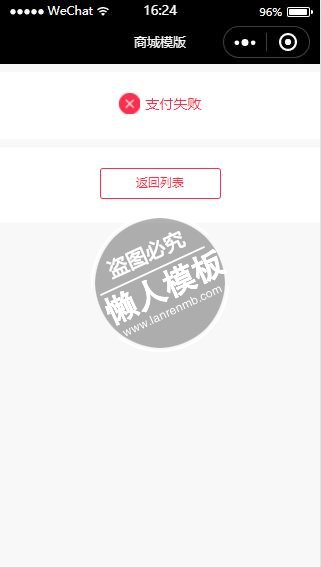
<view id="result">
  <view class="feedback">
    <view><image src="{{src}}" alt="img"></image></view>
    <view><text>{{typeText}}</text></view>
  </view>
  <view class="next">
    <view class="price" wx:if="{{type == 1 }}">实付款:<text>¥{{price}} 元</text></view>
    <view class="button">
      <!--<navigator url="../order-detail/order-detail?subOrderSn={{subOrderSn}}" hover-class="none" class="detail">查看订单</navigator>-->
      <navigator url="../orders/orders?t=all" hover-class="none" class="to-home" open-type="navigate">返回列表</navigator>
    </view>
  </view>
</view>
</scroll-view>
|
#result {
    font-size: 30rpx;
    text-align: center;
}

#result .feedback {
    background: #fff;
    width: 100%;
    height: 110rpx;
    margin-top: 20rpx;
    padding-top: 50rpx;
}

#result .feedback view {
    margin: auto;
    font-size: 34rpx;
    color: #FF2D4B;
    line-height: 50rpx;
    display: inline-block;
}

#result .feedback view image {
    width: 50rpx;
    height: 50rpx;
}

#result .feedback view text {
    position: relative;
    top: -10rpx;
    margin-left: 16rpx;
}

#result .feedback .hint {
    display: block;
    margin-top: 24rpx;
    font-size: 26rpx;
}

#result .next {
    background: #fff;
    margin-top: 20rpx;
    padding: 50rpx 30rpx;
}

#result .next .price {
    text-align: left;
    padding-bottom: 60rpx;
    font-size: 28rpx;
}

#result .next .price text {
    font-size: 34rpx;
    color: #FF2D4B;
}

#result .next .button {
    overflow: hidden;
    display: inline-block;
}

#result .next .button navigator {
    float: left;
    border: 1px solid #FF2D4B;
    width: 280rpx;
    height: 68rpx;
    border-radius: 8rpx;
    line-height: 68rpx;
    color: #FF2D4B;
}

#result .next .button .to-home {
    text-align: center;
}
|
const app = getApp();
Page({
  data: {
    items: {
      labelText: '已阅读并同意',
      iconType: 'circle',
      is_default: false
    }
  },
  onLoad() {
    console.log(app.globalData);
    const src = app.globalData.type === 'success' ? 'success.png' : 'fail.png';
    const typeText = app.globalData.type === 'success' ? '支付成功' : '支付失败';
    const type = app.globalData.type === 'success' ? 1 : 0;
    this.setData({
      // subOrderSn: app.globalData.subOrderSn,
      price: app.globalData.price,
      src,
      typeText,
      type
    });
  }
});
|
模板简介:该模板名称为【微信小程序红色支付失败提示页面样式模板制作设计下载】,大小是,文档格式为.,推荐使用打开,作品中的图片,文字等数据均可修改,图片请在作品中选中图片替换即可,文字修改直接点击文字修改即可,您也可以新增或修改作品中的内容,该模板来自用户分享,如有侵权行为请联系网站客服处理。欢迎来懒人模板【小程序教程】栏目查找您需要的精美模板。
.jpg)
.jpg)




